![Audio Controller [Original]](https://tr.rbxcdn.com/180DAY-7c256952dd2706dddcd252654523d5a2/512/512/Image/Png/noFilter)
Working Audio Controller [Original] Codes
Last updated August 22, 2026
No working codes right now
We're tracking Audio Controller [Original] and will list codes here the moment the developers release them. If you spot one first, send it our way below.
How to redeem codes in Audio Controller [Original]
- Launch Audio Controller [Original] on Roblox.
- Look for a Codes, Shop or settings button — usually on the side of the screen.
- Paste the code exactly as shown above. Codes are case-sensitive.
- Press redeem to claim your reward.
Codes expire without warning — if one fails, it was almost certainly pulled by the developer.
Found a code we're missing?
Submit it and we'll verify it before it goes live.
About Audio Controller [Original]
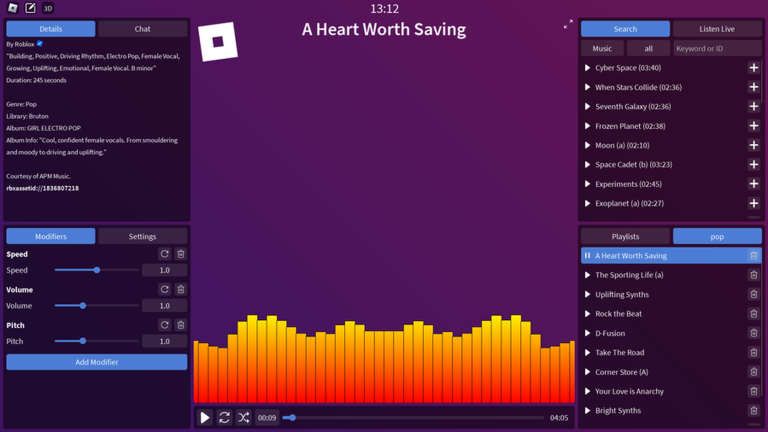
This experience got shadowbanned because Roblox thinks it's a social hangout. They don't want to unban and won't say why. Audio Controller is an audio player that lets you play any public audio from the Roblox marketplace with full playback control. You can customize the background, switch between 2D or 3D mode, change how audio is visualized, and apply modifiers. It also includes a custom chat with audio attachments and live streaming to others in the server. Important: Audio Controller does not let you create or upload new audios from within the experience. There are no plans to support in-experience uploads.. To upload your own audio, use: https://create.roblox.com/dashboard/creations/upload?assetType=Audio To report inappropriate audio: https://create.roblox.com/store/asset/[id] Sharing innapropriate audios may result in an action being taken against you. The audio search uses Roblox' api which I do not control. The GUI was designed by @quinacon.