By Sriwisa Studio
Ram 10 codes
No working codes listed right now. Check the latest updates below.
Working codes
Updated November 20, 2026
No working codes right now
Check back for new developer releases, or submit a code if you found one.
How to redeem codes in Ram 10
- Launch Ram 10 on Roblox.
- Look for a Codes, Shop or settings button — usually on the side of the screen.
- Paste the code exactly as shown above. Codes are case-sensitive.
- Press redeem to claim your reward.
Codes may expire or require a certain level. If one fails, check the spelling and any in-game requirements.
Found a code we're missing?
Submit it and we'll verify it before it goes live.
About Ram 10
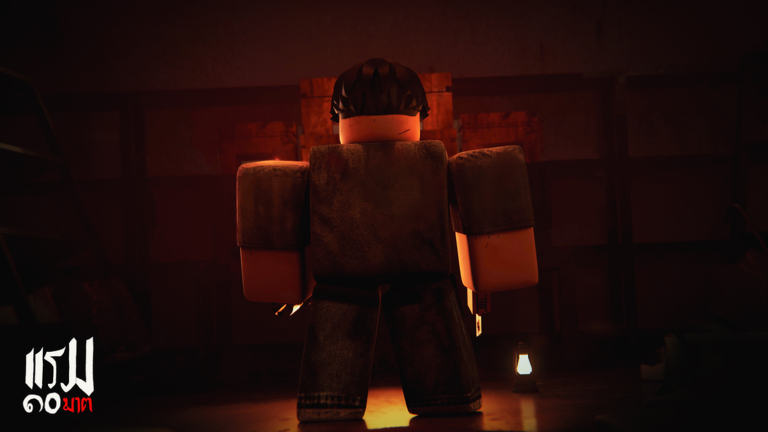
[12/11/2026 Huge Improvement Update] - Fixed Act 2 camera getting stuck after interacting with the safe - Automatically teleport players to the next chapter after finishing each chapter - Fixed Act 1 animation glitch - Temporarily removed blood from Act 3 final encounter and Act 4 - Fixed the player animation glitch in Act 4 - Removed K - On/Off control - Fixed L - Unlock/Lock cursor while chatting 🛕 Ram 10 (แรม 10), the story of a family whose lives were destroyed in 10 nights, but the brother, Payu, refuses to accept his fate and his family's fate. Will he be able to save his family? This game is now complete with 4 sessions to play. Controls: W A S D - Walking Left Shift + W A S D - Running F - Flashlight L - Unlock/Lock Mouse Cursor Developed, designed, and contributed primarily by mercenary2551 © & ™ 2026 Sriwisa Studio - All Rights Reserved
Comments (0)
Share a tip, ask a question, or tell other players which codes worked.
No comments yet. Be the first to share a tip or ask a question.