By Svax Games
Checkout Chaos codes
No working codes listed right now. Check the latest updates below.
Working codes
Updated November 20, 2026
No working codes right now
Check back for new developer releases, or submit a code if you found one.
How to redeem codes in Checkout Chaos
- Launch Checkout Chaos on Roblox.
- Look for a Codes, Shop or settings button — usually on the side of the screen.
- Paste the code exactly as shown above. Codes are case-sensitive.
- Press redeem to claim your reward.
Codes may expire or require a certain level. If one fails, check the spelling and any in-game requirements.
Found a code we're missing?
Submit it and we'll verify it before it goes live.
About Checkout Chaos
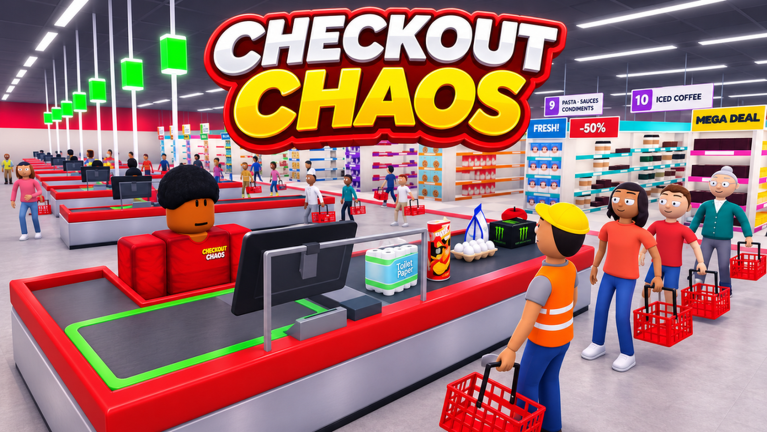
Welcome to CHECKOUT CHAOS, the most intense 24/7 retail simulation on Roblox. Your job application has been accepted and you are going for a job interview at CHAOS MARKET. The Boss is always watching, waiting for you to make one tiny mistake. One wrong ID check, one escaped thief, or one unhappy customer, and your career might be OVER. The line is growing and the Boss is watching. Your job is simple: work, scan, and survive. 💯 CORE FEATURES: 🕒 Weekly Cycle – The mall never sleeps. 👹 Boss Rage Meter – Angry Boss always ready to fire you! 📅 Dynamic Events – "Karen Runs" and much much more. 📅 Boss Meetings – Do exams and troll the Boss. 📦 Dozens Of Products – Scan anything and everything. 💡 Upgrade your Register – Make your work faster and more efficient. 💰 Earn Money and Level – Unlock upgrades and promotions. 📈 Career Progression – Get promoted from Trainee to the ultimate Store Manager
Comments (0)
Share a tip, ask a question, or tell other players which codes worked.
No comments yet. Be the first to share a tip or ask a question.