By 4Professionals@Work
Cuboid Sandbox codes
No working codes listed right now. Check the latest updates below.
Working codes
Updated November 20, 2026
No working codes right now
Check back for new developer releases, or submit a code if you found one.
How to redeem codes in Cuboid Sandbox
- Launch Cuboid Sandbox on Roblox.
- Look for a Codes, Shop or settings button — usually on the side of the screen.
- Paste the code exactly as shown above. Codes are case-sensitive.
- Press redeem to claim your reward.
Codes may expire or require a certain level. If one fails, check the spelling and any in-game requirements.
Found a code we're missing?
Submit it and we'll verify it before it goes live.
About Cuboid Sandbox
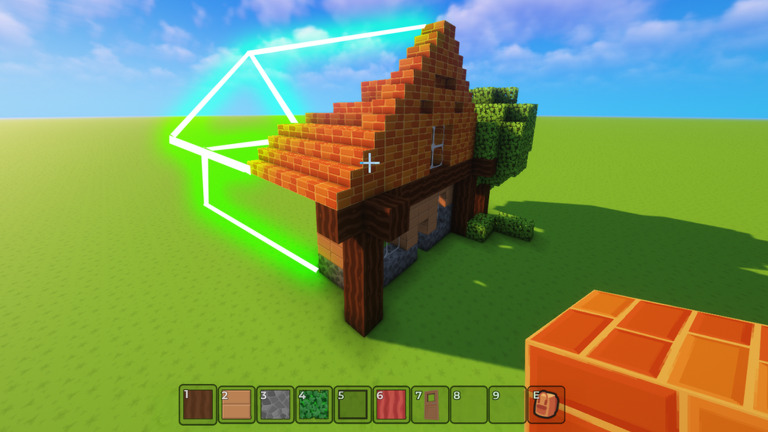
💾 All of your builds save on a private server! So you can continue building later :) 🧱 Build Anything – Place blocks to create whatever you imagine. 👥 Multiplayer Mode – Team up or build solo in shared worlds. 🎮 Simple Fun – No rules, just building! 🎨 Creative Freedom – Express your imagination with no limits. Changelog: 06/21: 🚗 Introducing vehicles: Hoverboard, car and rocket! Use them to bring your builds to life :) 🖼️ Today's top build: Starting from now, you can submit a screenshot of your builds on our communications server. Every day we'll choose the best build to be displayed at the spawn for everybody to see! 06/14: 🚪 Doors are finally here. Try them out! Tags: Sandbox, Voxel, Building, Creative, Multiplayer, Block Game, Cuboid, Voxels
Comments (0)
Share a tip, ask a question, or tell other players which codes worked.
No comments yet. Be the first to share a tip or ask a question.