By mike45t
Fighting Mechs codes
No working codes listed right now. Check the latest updates below.
Working codes
Updated November 19, 2026
No working codes right now
Check back for new developer releases, or submit a code if you found one.
How to redeem codes in Fighting Mechs
- Launch Fighting Mechs on Roblox.
- Look for a Codes, Shop or settings button — usually on the side of the screen.
- Paste the code exactly as shown above. Codes are case-sensitive.
- Press redeem to claim your reward.
Codes may expire or require a certain level. If one fails, check the spelling and any in-game requirements.
Found a code we're missing?
Submit it and we'll verify it before it goes live.
About Fighting Mechs
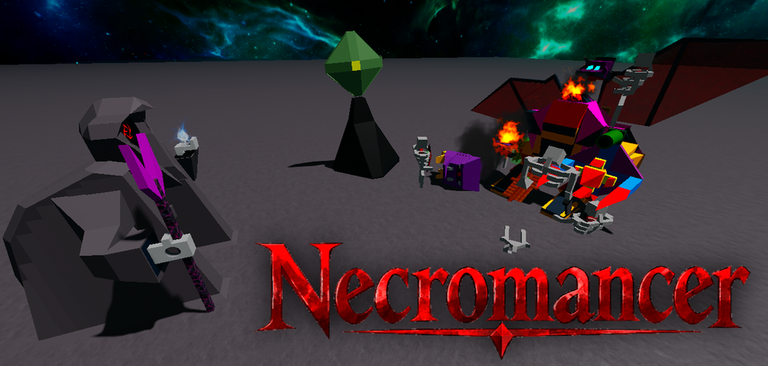
Fighting Mechs is a sandbox PvP game where you control mechs/gundam to destroy your opponents. How to operate said mechs? Just jump right in them and press the buttons on the back. Join my group, if you want to see every update i make on this game. Vote kicking for no reason, will lead to a ban Report hackers if you see any please I'm a solo scripter, so updates take a while, thank you for being patience Recent update: - Released Necromancer - Malice is out (Halloween Mech) - Added "Rancor" NOTE: * 10 Fragment mechs * 3 Fusion mechs * 2 console mechs * 3 Secret mechs * 4 Obby Mechs * 4 Bosses * Jumping out of a mech, will make the mech disappear * Bosses will spawn periodically * Find Gamepass mechs in Lobby * if a mech doesn't work, then regenerate it by touching the button. * The game is in Beta, so help out with some suggestions. *Inspired off a old mech game I use to love playing. *Might be hidden mechs lurking around
Comments (0)
Share a tip, ask a question, or tell other players which codes worked.
No comments yet. Be the first to share a tip or ask a question.