By Simon_Dev
Fire Rescue Simulator codes
No working codes listed right now. Check the latest updates below.
Working codes
Updated November 20, 2026
No working codes right now
Check back for new developer releases, or submit a code if you found one.
How to redeem codes in Fire Rescue Simulator
- Launch Fire Rescue Simulator on Roblox.
- Look for a Codes, Shop or settings button — usually on the side of the screen.
- Paste the code exactly as shown above. Codes are case-sensitive.
- Press redeem to claim your reward.
Codes may expire or require a certain level. If one fails, check the spelling and any in-game requirements.
Found a code we're missing?
Submit it and we'll verify it before it goes live.
About Fire Rescue Simulator
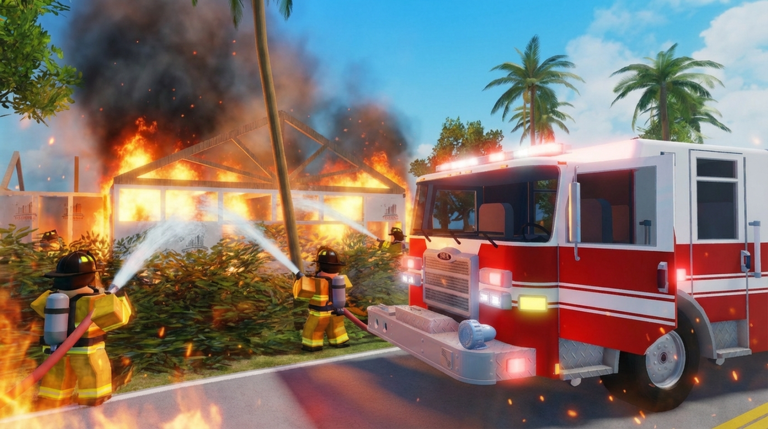
🚒 Keyon Fire Fighting Rescue Simulator BETA Release! 🎮 Now available on Xbox and Playstation console! Fight fires, rescue civilians, and rank up through the fire department! Respond to emergency calls across the city, grab your hose, and extinguish dynamic fires that break out in real time. Rescue trapped NPCs from burning buildings for bonus rewards. Earn Money and XP to unlock new ranks, buy vehicles, and work your way from Rookie Firefighter to Chief. 🔥 Dynamic fire system 🚒 Multiple drivable vehicles 🧑 NPC rescue missions 📻 Radio communications 🛠️ 7 firefighter tools 🏅 Rank progression & leveling New player? An interactive tutorial will show you the ropes.
Comments (0)
Share a tip, ask a question, or tell other players which codes worked.
No comments yet. Be the first to share a tip or ask a question.