By ThatPreston
Mermaid Testing codes
No working codes listed right now. Check the latest updates below.
Working codes
Updated November 20, 2026
No working codes right now
Check back for new developer releases, or submit a code if you found one.
How to redeem codes in Mermaid Testing
- Launch Mermaid Testing on Roblox.
- Look for a Codes, Shop or settings button — usually on the side of the screen.
- Paste the code exactly as shown above. Codes are case-sensitive.
- Press redeem to claim your reward.
Codes may expire or require a certain level. If one fails, check the spelling and any in-game requirements.
Found a code we're missing?
Submit it and we'll verify it before it goes live.
About Mermaid Testing
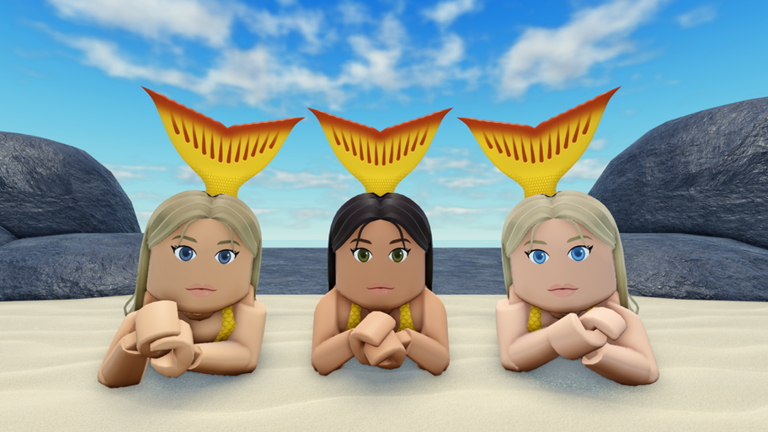
Welcome to Mermaid Testing! Have fun creating your own characters, transforming into a merperson, and mastering your magical powers! If you want to see more updates, please like the game to show your support! It means a lot to me. :) 🧜♀️ Power Controls: 💧 Water: Click on the ocean to form a water bubble, then click again to throw it. Water bubbles can transform a player into their merperson form. 🧊 Ice: Click on a water bubble to freeze it. If a frozen water bubble hits a player, it will damage them. 🔥 Steam: Click on a water bubble to boil it. Click on merpeople above water to dry them off faster. 💚 Jelly: Click on the ocean to form a jelly platform. 🌊 Dive: Run towards water and jump to dive in. Credits: Seagoonia: Swimming animation, faces, various particle effects and meshes
Comments (0)
Share a tip, ask a question, or tell other players which codes worked.
No comments yet. Be the first to share a tip or ask a question.