By Sleepy Panda Studios
Paint a Picture codes
No working codes listed right now. Check the latest updates below.
Working codes
Updated November 20, 2026
No working codes right now
Check back for new developer releases, or submit a code if you found one.
How to redeem codes in Paint a Picture
- Launch Paint a Picture on Roblox.
- Look for a Codes, Shop or settings button — usually on the side of the screen.
- Paste the code exactly as shown above. Codes are case-sensitive.
- Press redeem to claim your reward.
Codes may expire or require a certain level. If one fails, check the spelling and any in-game requirements.
Found a code we're missing?
Submit it and we'll verify it before it goes live.
About Paint a Picture
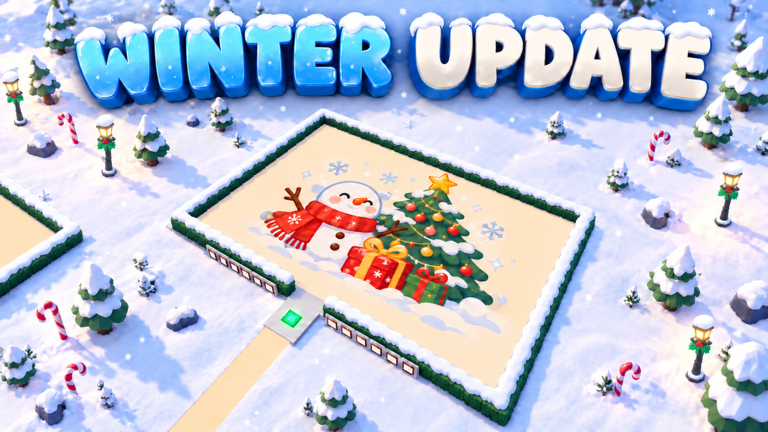
❄️ WINTER UPDATE - NOV 3: 💬 Improved game translations 🌃 Nighttime mode added to the settings menu 🎨 50 new Christmas paintings ☃️ A snowy map with festive decorations and falling snow 🎵 New Christmas music 🎄 Find your next painting in the Christmas category! PAINT A PICTURE Choose from thousands of hand-picked pictures and paint them square by square. Build a gallery wall of your finished work, or paint alongside friends in co-op. Earn Stars to unlock frames, brushes and plot skins. Daily Quests and Login Streaks keep the rewards coming. Rank up from Beginner to Mythic Painter. Every picture is reviewed by hand and filtered for all ages - request removals via the forum. RESTART = UPDATE
Comments (0)
Share a tip, ask a question, or tell other players which codes worked.
No comments yet. Be the first to share a tip or ask a question.