By RedEelKala
TableGames codes
No working codes listed right now. Check the latest updates below.
Working codes
Updated November 20, 2026
No working codes right now
Check back for new developer releases, or submit a code if you found one.
How to redeem codes in TableGames
- Launch TableGames on Roblox.
- Look for a Codes, Shop or settings button — usually on the side of the screen.
- Paste the code exactly as shown above. Codes are case-sensitive.
- Press redeem to claim your reward.
Codes may expire or require a certain level. If one fails, check the spelling and any in-game requirements.
Found a code we're missing?
Submit it and we'll verify it before it goes live.
About TableGames
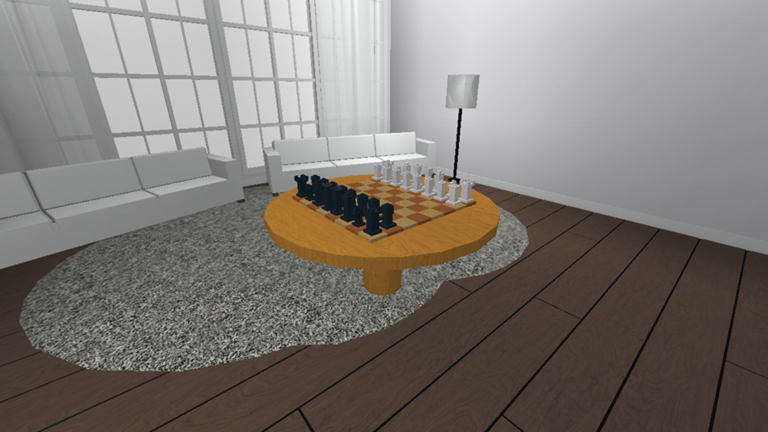
I guess this is a table simulator..? You can play the game by yourself, but it's better played with multiple people. (Note: if you make a room and you're the only player you'll be teleported to a separate world that has other users that also were the only one in their server.) Changelog: +Added a less confusing lobby +Added Custom Song Gamepass (see shop) +New maps (Roost, WetWorks) +Trumpets +Room ambient sounds (interior) *Changed Rock Paper Scissors keys to 1, 2, and 3 keys *Changed Zoom speed to be faster *Fixed item pick up noise to match the item (i.e. the player picks up a glass and it makes a glass sound instead of a plastic sound.) *Fixed glitch that made the player the size of a skyscraper for no reason *Fixed glitch that muted the player if they tabbed out of game *Fixed glitch that made the player's face disappear
Comments (0)
Share a tip, ask a question, or tell other players which codes worked.
No comments yet. Be the first to share a tip or ask a question.