By VSøft
Paint Albums! codes
No working codes listed right now. Check the latest updates below.
Working codes
Updated November 20, 2026
No working codes right now
Check back for new developer releases, or submit a code if you found one.
Unconfirmed Codes (2)
These still need checking. Try a code and use the vote buttons to let other players know whether it worked.
RETURNOMGIN SETTINGS TO RECEIVE STUDS
Did it work?
CODE1IN SETTINGS TO RECEIVE 2000 STUDS
Did it work?
How to redeem codes in Paint Albums!
- Launch Paint Albums! on Roblox.
- Look for a Codes, Shop or settings button — usually on the side of the screen.
- Paste the code exactly as shown above. Codes are case-sensitive.
- Press redeem to claim your reward.
Codes may expire or require a certain level. If one fails, check the spelling and any in-game requirements.
Found a code we're missing?
Submit it and we'll verify it before it goes live.
About Paint Albums!
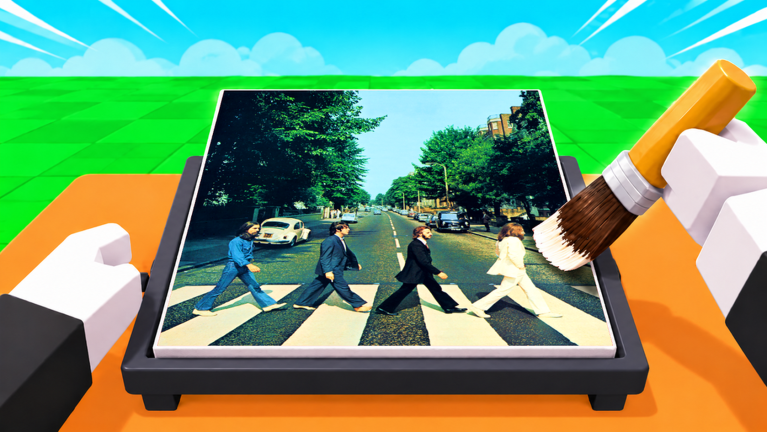
USE CODE "RETURNOMG" IN SETTINGS TO RECEIVE STUDS 🎨 Welcome to Paint Albums! 🖌️ Search for any album cover 🖼️ Paint it on your canvas 🌈 Unlock new brushes and cosmetics ⭐ Compete in leaderboards by completing more albums 👥 Show off your gallery to everyone! 💾 Progress saves automatically Join our community server to see sneak peeks, updates and interact with other players! Become the greatest album painter! [ Albums are being moderated daily. ] Lead/UI/Modeller: RBLX_Vurtivus Programmer/Music: aqc5x Backend: cx2pr
Comments (0)
Share a tip, ask a question, or tell other players which codes worked.
No comments yet. Be the first to share a tip or ask a question.