By DomBlox Games
Clean The Puzzle Gallery codes
No working codes listed right now. Check the latest updates below.
Working codes
Updated November 20, 2026
No working codes right now
Check back for new developer releases, or submit a code if you found one.
How to redeem codes in Clean The Puzzle Gallery
- Launch Clean The Puzzle Gallery on Roblox.
- Look for a Codes, Shop or settings button — usually on the side of the screen.
- Paste the code exactly as shown above. Codes are case-sensitive.
- Press redeem to claim your reward.
Codes may expire or require a certain level. If one fails, check the spelling and any in-game requirements.
Found a code we're missing?
Submit it and we'll verify it before it goes live.
About Clean The Puzzle Gallery
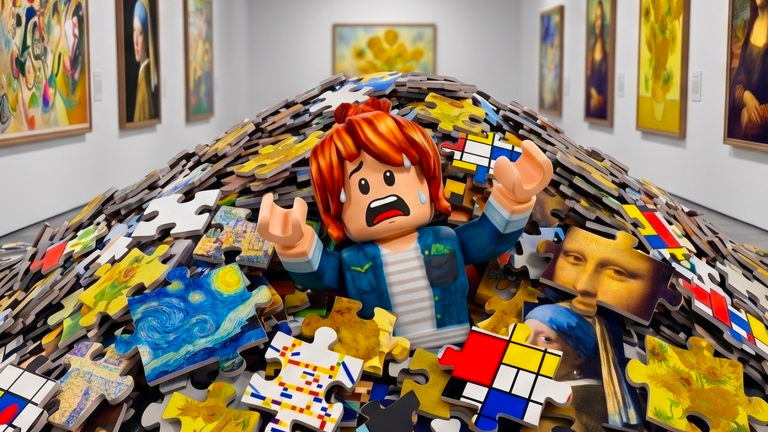
The puzzle gallery is in complete chaos! 2,500+ jigsaw pieces are piled all over the floor and every one of them belongs somewhere. Study the picture, find the right frame and turn every piece the right way up. 🧩 2,528 pieces across 90 puzzles 🖼️ Eight collections — Impressionism, Ukiyo-e, Portraits, Modern and more 🧙 Unlock magic gadgets to help you ✨ Buy upgrades and become the ultimate curator 👥 Play solo or with up to 3 friends — your party keeps its own gallery save 🏆 Finish every puzzle and open the exhibition Having issues? Got feedback? Post in the Group forums: https://www.roblox.com/communities/711013993/DomBlox-Games#!/forums/feedback-9c8f6220 Inspired by Clean The Puzzle Gallery on Steam. PC Controls: Click / E — pick up + place Q — drop Scroll — swap held piece R — rotate piece P — picture Hold Right-Click — zoom 1–4 — gadgets C — upgrades Console Controls: RT — pick up + place B — drop / close menu RB — swap held piece X — rotate
Comments (0)
Share a tip, ask a question, or tell other players which codes worked.
No comments yet. Be the first to share a tip or ask a question.